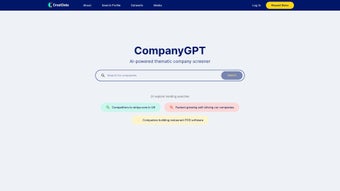

Download CompanyGPT – AI‑powered company screener, predictive analytics, data‑driven decisions
Introduction
In today’s fast‑moving markets, the ability to sift through massive amounts of financial, brand and media data in seconds can be the difference between a winning investment and a missed opportunity. Traditional research workflows often involve juggling spreadsheets, subscribing to multiple data vendors, and spending hours writing custom queries—processes that are both time‑consuming and prone to human error. This is where AI‑enhanced screening platforms step in, offering a unified interface that combines natural‑language processing, real‑time data ingestion, and predictive modeling.
CompanyGPT, developed by Crustdata, is built specifically to address these challenges. By delivering a single, secure cloud‑based hub for analysts, investors, and corporate strategists, the tool promises to shorten research cycles, improve forecast accuracy, and democratize access to advanced analytics. Whether you are a seasoned portfolio manager looking for a quantitative edge, a marketing executive interested in brand health, or a startup founder seeking competitive intelligence, CompanyGPT aims to provide the insights you need without the steep learning curve of traditional data science stacks.
This introduction outlines why an AI‑driven screener has become essential, sets the stage for a deeper look at CompanyGPT’s capabilities, and highlights the value of a cloud‑first, cross‑platform solution in the modern data ecosystem.
Overview
CompanyGPT, developed by Crustdata, is an AI‑driven thematic company screener that transforms raw market data into actionable insight. In a world where speed and precision dictate competitive advantage, CompanyGPT offers a single, secure platform where analysts, investors, and business leaders can explore thousands of datasets—from financial fundamentals to brand sentiment—through an intuitive, searchable interface. The tool’s core promise is to enhance decision‑making by forecasting future company performance and surfacing hidden opportunities before they become mainstream.
By blending natural‑language processing with proprietary data pipelines, CompanyGPT enables users to ask complex “what‑if” questions in plain English and receive structured answers that can be directly fed into investment models or strategic plans. Whether you are evaluating emerging tech firms, assessing media conglomerates, or benchmarking established brands, the platform’s AI engine sifts through historical trends, real‑time news, and social signals to generate predictive scores that reflect both quantitative strength and qualitative perception. Crustdata positions CompanyGPT as more than a data repository; it is a decision‑support system that shortens the research cycle, reduces bias, and ultimately empowers users to stay ahead of their competition.
The platform is available as a cloud‑based SaaS solution, ensuring that updates, security patches, and new datasets are rolled out automatically, keeping the user experience fresh and reliable. In addition, the service complies with GDPR and ISO‑27001 standards, giving enterprises confidence that sensitive research data remains protected throughout every stage of analysis.
Key Features that Differentiate CompanyGPT
- BrandScope™ Analytics: Deep‑dive into brand equity, consumer sentiment, and market positioning across 50+ industries, with visual heat‑maps that highlight strengths and weaknesses.
- Media Intelligence Engine: Real‑time monitoring of media outlets, social platforms, and influencer activity, providing a 48‑hour lag‑free view of public perception.
- AI‑Powered Predictive Scoring: Proprietary algorithms generate forward‑looking performance scores, risk flags, and growth potential indices for each screened company.
- Natural Language Query Interface: Users can type questions like “Show me high‑growth fintech firms in Europe with strong ESG scores” and receive instant, filtered results.
- Customizable Watchlists & Alerts: Build sector‑specific watchlists and set trigger alerts for KPI changes, earnings releases, or sentiment spikes.
- Multi‑Dataset Integration: Seamlessly combine financial statements, market cap data, ESG metrics, and unstructured news feeds within a single view.
- Export & Collaboration Tools: Export reports in PDF, Excel, or JSON formats and share insights with team members via built‑in collaboration panels.
- Secure Cloud Architecture: End‑to‑end encryption, role‑based access control, and GDPR‑compliant data handling protect sensitive research.
- Continuous Learning Loop: The AI model refines its predictions based on user feedback and new data, ensuring relevance over time.
Each feature is designed with a clear purpose: to reduce the friction between data collection and decision execution. BrandScope™ helps marketers gauge the health of a brand beyond simple revenue numbers, while the Media Intelligence Engine supplies the narrative context that often drives stock price movements. The predictive scoring system is especially valuable for portfolio managers looking to allocate capital with a forward‑looking lens, rather than relying solely on historical performance.
The natural language query interface democratizes data access, allowing non‑technical stakeholders to retrieve complex analytics without learning SQL or specialized scripting languages. Export and collaboration tools further streamline teamwork, enabling analysts to package insights into ready‑to‑present formats and distribute them securely across the organization. Security‑first architecture ensures that all data transmissions are encrypted and that role‑based permissions prevent unauthorized access, which is crucial for enterprises handling confidential financial forecasts.
Finally, the continuous learning loop means the platform grows smarter the more it is used, adapting to emerging market trends and user preferences. Together, these capabilities create a holistic ecosystem where strategic insight is generated faster, more accurately, and with less manual effort, positioning CompanyGPT as a truly differentiated solution in the crowded AI‑analytics market.
Installation, Usage & Compatibility
Getting Started – Simple Cloud Registration
CompanyGPT is delivered as a cloud‑based SaaS product, which means there is no traditional “installation” on a local machine. To begin, visit the official Crustdata portal, click the “Start Free Trial” button, and fill out a short registration form. After email verification, you receive a secure link to the dashboard. The onboarding wizard walks you through account configuration, including setting up two‑factor authentication (2FA) and defining your primary industry focus. Because the platform runs entirely in the browser, you can access it from any device with an internet connection.
Operating System Support
The web application is fully responsive and works on Windows 10/11, macOS Ventura and later, Linux distributions with modern browsers, as well as mobile platforms such as Android 9+ and iOS 13+. For power users, Crustdata also offers a lightweight desktop wrapper built with Electron, providing a native‑like experience on Windows and macOS while retaining automatic update capabilities.
Step‑by‑Step Workflow
1. Login & Dashboard Overview: Upon logging in, the home screen presents a quick snapshot of your watchlists, recent alerts, and a global market heat‑map.
2. Create a Screener: Use the “New Screener” button to select criteria—financial ratios, ESG scores, brand sentiment, or custom tags.
The AI assistant can suggest filters based on your past queries.
3. Run Predictive Models: Click “Generate Forecast” to let the AI calculate forward‑looking scores. Results appear in a sortable table with visual confidence bands.
4.
Deep Dive Analysis: Select any company row to open a detail pane featuring BrandScope visualizations, media sentiment timelines, and downloadable data sets.
5. Set Alerts & Share: Activate threshold‑based alerts (e.g., sentiment drop >15%) and use the “Share Report” function to collaborate with colleagues via a secure link.
The platform’s UI follows Material Design guidelines, ensuring consistency across devices. Because all processing occurs on Crustdata’s secure servers, your local hardware resources remain untouched, making the tool ideal for laptops, thin clients, or even tablets. Regular backend updates are rolled out nightly, delivering new datasets and model refinements without any user intervention. In addition, an extensive knowledge base and video tutorial library are available within the app, helping new users master advanced features such as custom scoring algorithms or API integration in just a few minutes.
Pros, Cons, FAQ & Final Verdict
Pros
- Comprehensive data coverage across finance, brand, and media dimensions.
- AI‑driven predictive scores provide a forward‑looking edge.
- Natural language queries make advanced analytics accessible to non‑technical users.
- Fully cloud‑based with cross‑platform compatibility (Windows, macOS, Android, iOS).
- Robust security features, including 2FA and GDPR compliance.
- Customizable alerts and export options streamline reporting workflows.
- Continuous learning loop keeps models up‑to‑date with market dynamics.
- Dedicated support channels and a vibrant user community.
Cons
- Subscription pricing may be high for solo freelancers or small teams.
- Heavy reliance on internet connectivity; offline mode is limited.
- Learning curve for advanced predictive modeling features.
- Some niche industry datasets are still being onboarded.
- API access is restricted to enterprise‑level plans.
Frequently Asked Questions
Is there a free trial available?
Yes, Crustdata offers a 14‑day free trial with full access to all features, allowing you to evaluate predictive scoring, BrandScope, and media monitoring before committing to a subscription.
Can I integrate CompanyGPT data into my existing BI tools?
Absolutely. Exported data can be saved in CSV, Excel, or JSON formats, which are compatible with Power BI, Tableau, and Looker. API access is also available for enterprise customers.
How often are the underlying datasets refreshed?
Financial statements are updated quarterly, while media sentiment and brand metrics are refreshed daily. Critical alerts (e.g., earnings releases) are pushed in real‑time.
Is my data secure on the platform?
CompanyGPT employs end‑to‑end encryption, role‑based access controls, and regular third‑party security audits to ensure compliance with GDPR and ISO 27001 standards.
What support options are available?
Subscribers receive 24/7 email support, a dedicated account manager for enterprise tiers, and access to an online knowledge base with video tutorials and community forums.
Conclusion – Should You Download CompanyGPT?
CompanyGPT stands out as a powerful, AI‑enhanced screening solution that bridges the gap between raw data and strategic insight. Its blend of predictive analytics, brand‑centric metrics, and real‑time media monitoring equips decision‑makers with a multidimensional view of any company’s trajectory. While the price point may be a consideration for solo practitioners, the productivity gains—faster research cycles, reduced reliance on multiple data vendors, and deeper foresight—often justify the investment for teams focused on high‑stakes investment or corporate strategy.
The platform’s cloud‑first design ensures you can work from any device, and the continuous learning loop means the tool improves as you use it. Moreover, the extensive export options and API integrations allow you to embed CompanyGPT outputs directly into existing workflows, eliminating manual data wrangling. If you value data‑driven decision‑making and need a single, secure hub for financial, brand, and media intelligence, downloading CompanyGPT is a strategic move that can give you a measurable edge in today’s competitive landscape.
Start with the free trial, explore the predictive scoring engine, and see how the AI‑driven insights can accelerate your research and enhance your strategic outcomes.



.png)



